Manage enterprises
Matrx supports the management of multi-level organizational structures, such as large-sized enterprises with multiple subsidiaries or multi-level organizational structures. For enterprises that purchase the Enterprise plan, the enterprise super admin and admins have permission to create subsidiaries and manage the entire enterprise in the Matrx admin portal console.
Prerequisites
- Business or Enterprise plan
- Admin role access with enterprise management permission
Getting Started
- Sign in to the Matrx admin portal.
- In the navigation menu, unfold Organization, click Enterprise Management.
Check the Enterprise List
The content of the enterprise list includes:
- Enterprise Name - The name of the enterprise
- Size - Total number of users in the enterprise
- Parent Enterprise/Department - The parent enterprise or department of the current enterprise
- Maximum User Limit - The maximum number of users allowed to be created by subsidiary
- Note: For more information please refer to .
- Action
- Add Dept. - Shortcuts to create departments for the current enterprise
- Edit enterprise - Edit the information of the current enterprises
- Delete enterprise - Delete the current enterprise
- Note: The enterprise can be deleted successfully only if all the departments and users under it are cleared.
You can quickly search for enterprises by enterprise name or enterprise ID.
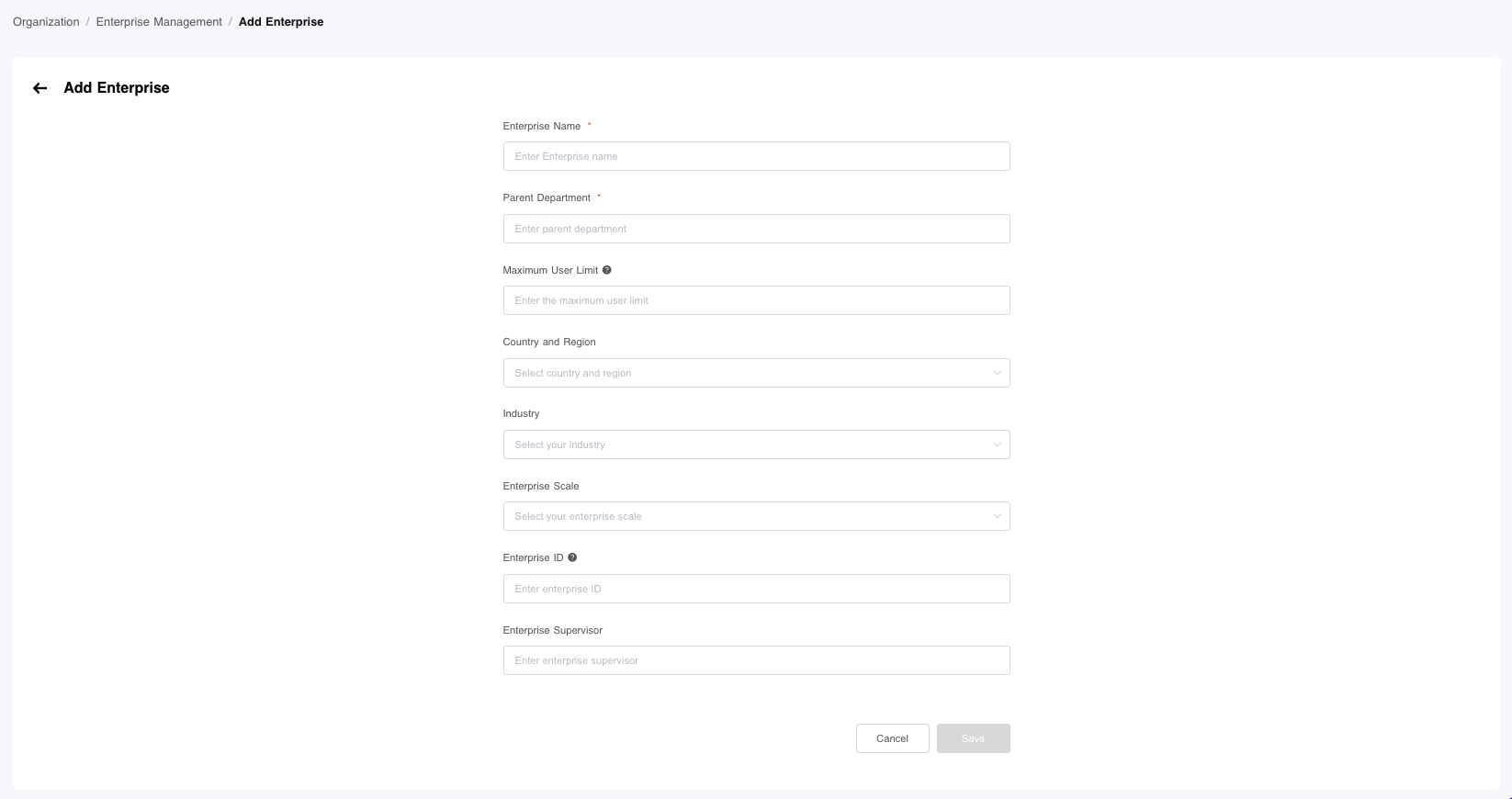
Add a Subsidiary
- Click Add.

- Fill in the information of the subsidiary.
- Click Save to create the subsidiary and return to the Enterprise Management page.
Edit Information of the Subsidiary
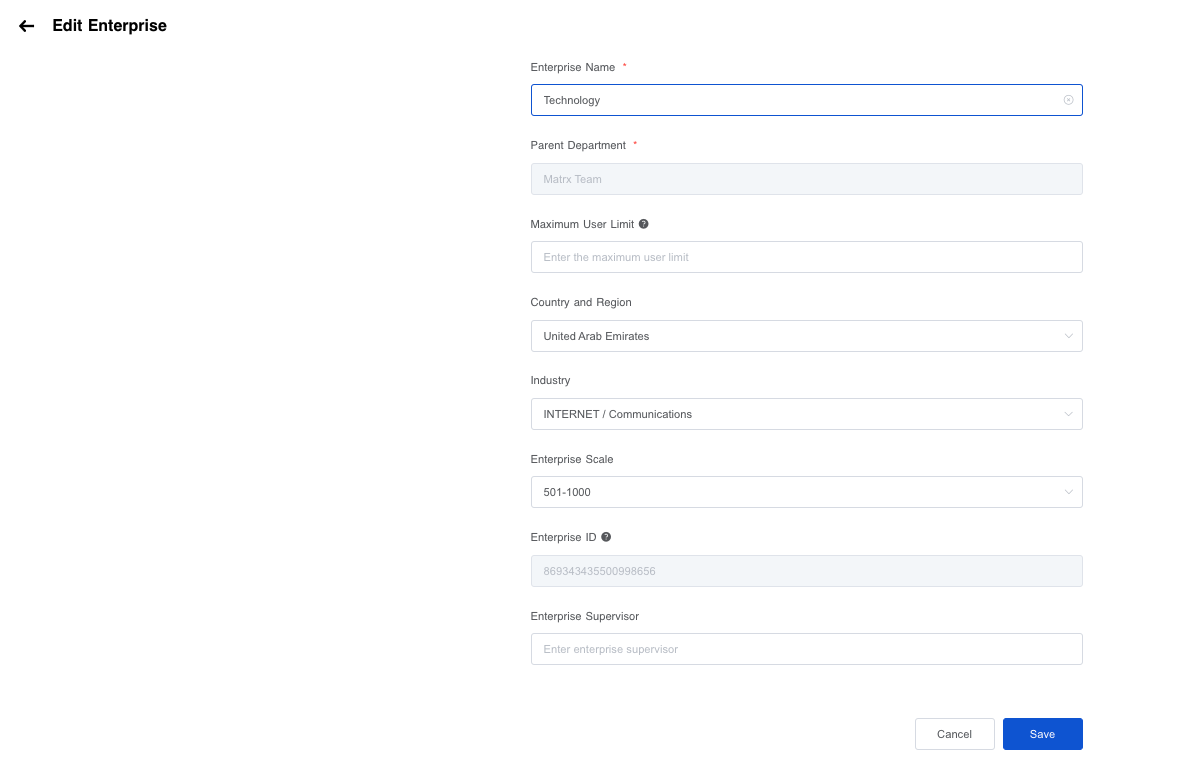
- Click Edit.

- Complete the modification of the information.
- Note:
- The Enterprise Name and Parent enterprise or department are required.
- The parent enterprise or department of the current department is determined when it is created, and modification is not supported.
- Note:
Delete Subsidiary
- Click Delete.

- Reconfirm the enterprise info and click Delete.
- Note: The enterprise can be deleted successfully only if all the subsidiaries, sub-departments, and users are cleared.
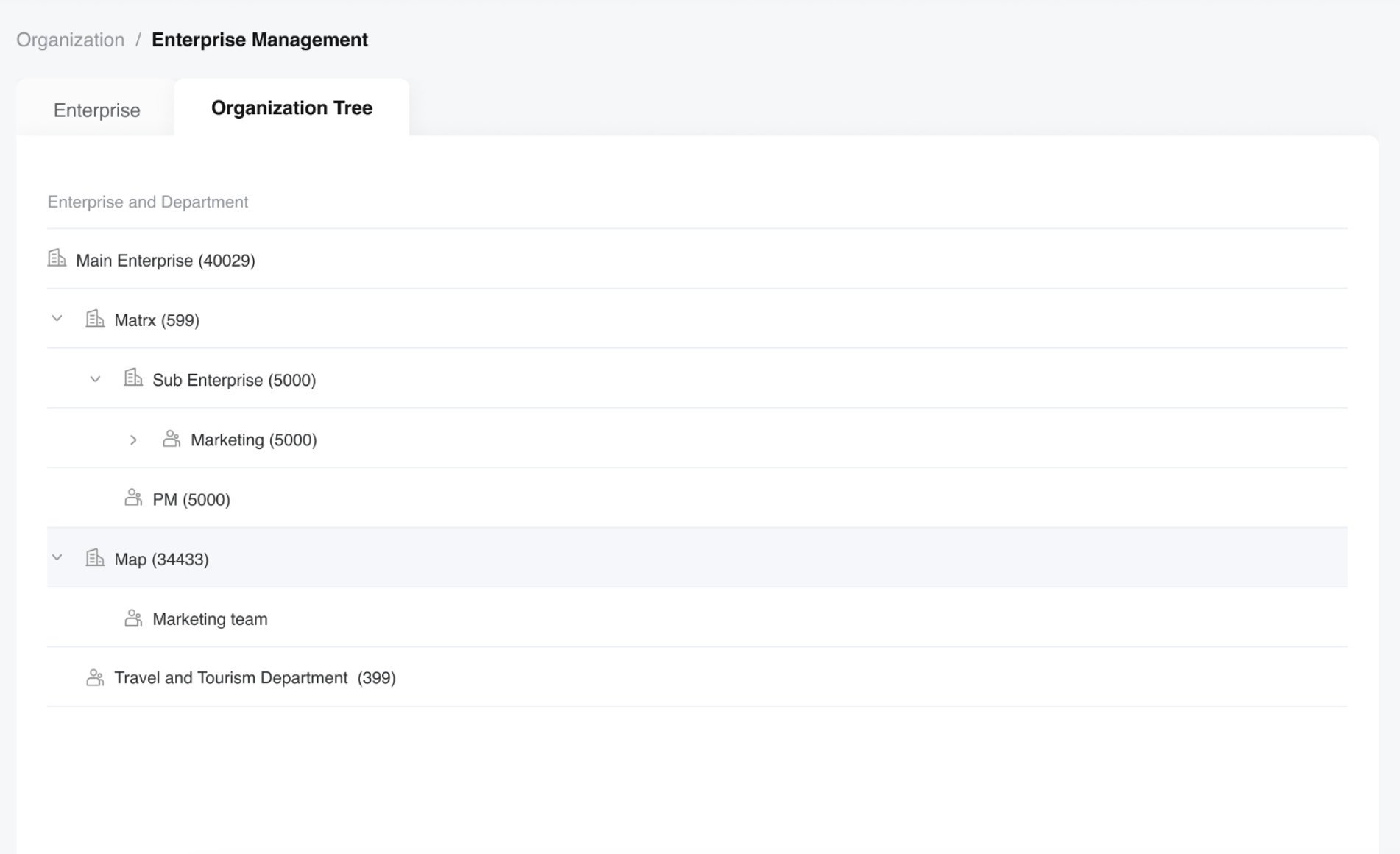
Check the Organization Tree
The display scope of the organization tree will be restricted according to the enterprise scope of the Admin management. The organization tree will allow you to view the relationship between multi-level organizations more intuitively.